
Crosshair overlay
Choose your crosshair’s color, size and position. Draw your own design or import PNG/SVG images.
Choose your crosshair’s color, size, opacity and position. Save game profiles and adjust your setup with hotkeys. One Windows app. One-time purchase.
One-time payment
Join our Discord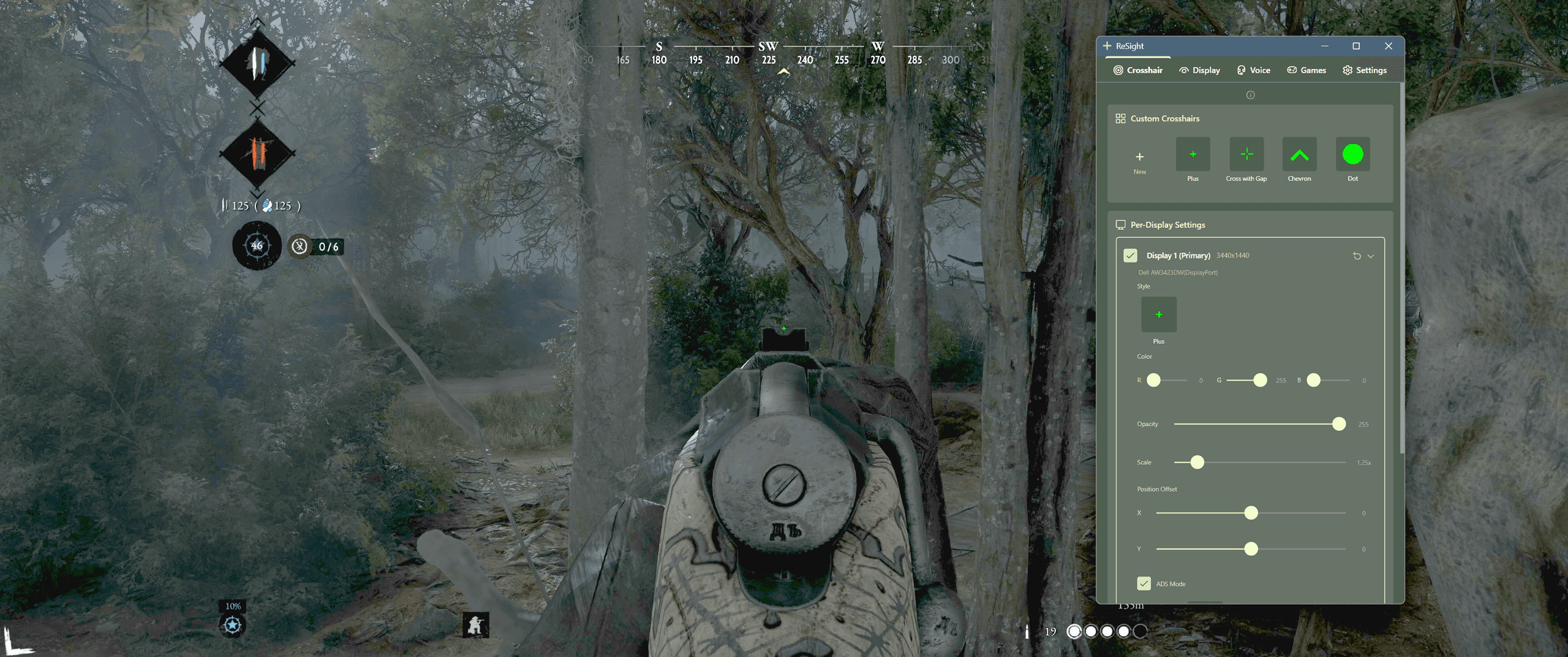
Windows 10/11 · Paid app · One-time purchase · No subscription
Your crosshair, display and audio controls in one place.
Choose your crosshair’s color, size and position. Draw your own design or import PNG/SVG images.
Adjust brightness, contrast and gamma per monitor. Digital Vibrance and NVIDIA local tone require NVIDIA.
NVIDIA local tone requires a display driven by NVIDIA, SDR (HDR off), a borderless game and the installed optional component. Standard gamma adjustments use Windows display functions; HDR, drivers and the game’s display mode may limit their effect.
Save crosshair and display settings per game. Your assigned profile applies when the game is in focus.
Lower Discord volume with a hotkey when you need to hear the game more clearly.
One-time purchase. Lifetime access. No subscriptions or hidden fees.
ReSight is designed to enhance your gaming experience through improved visual clarity and convenience features. We believe in fair play—this tool is not intended to provide unfair advantages. Please use responsibly and in accordance with each game's terms of service. We are not liable for any consequences resulting from use.
ReSight is a screen overlay application that doesn't inject into games or modify game files. However, always check your game's terms of service as policies vary between games and anti-cheat systems.